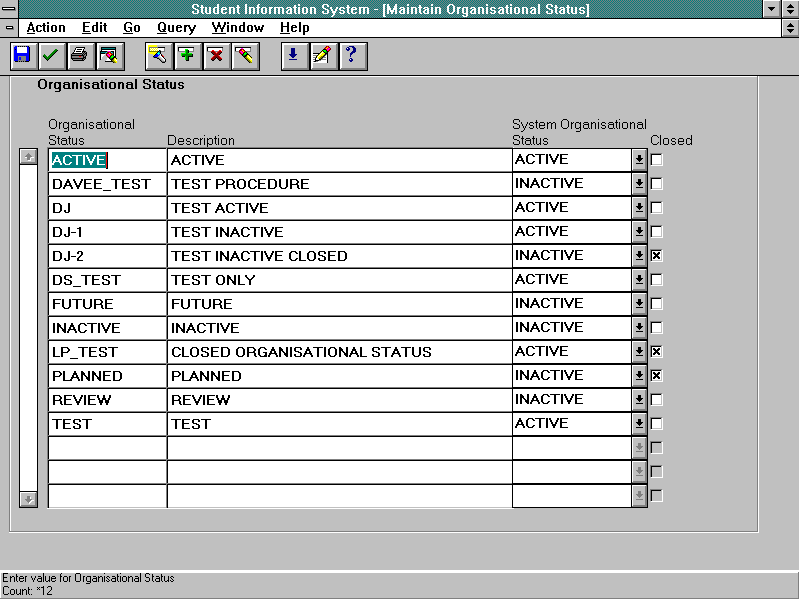
| To create an organisational status using the Maintain Organisational Status form:
|
- Enter Insert mode.
- Enter the desired name of the organisational status in the Organisational Status field of a blank record.
- Enter a meaningful description for the organisational status in the Description field.
- Select the appropriate system organisational status from the list of values (or key a valid value) in the System Organisational Status field.
- Save.
| Rules:
- On entering a new organisational status, the system organisational status defaults to ACTIVE.
|
| To modify an organisational status using the Maintain Organisational Status form:
|
- Find the record to be modified.
- Modify the record as required.
- Save.
| Rules:
- If an organisational status has been used in the definition of an organisational unit its description should only be modified where the change is minor and does not alter the meaning.
- An organisational status can be closed, preventing any further use, by selecting the Closed check box.
- Once an organisational status has been assigned to one or more organisational units, its system organisational status should not be changed. A new organisational status should normally be created.
|
| To delete an organisational status using the Maintain Organisational Status form:
|
- Find the record to be deleted.
- Locate the cursor in the record to be deleted.
- Delete record.
- Save.
| Rules:
- If an organisational status has been assigned to an organisational unit, it cannot be deleted. It can be closed, preventing any further use, by selecting the Closed check box.
|